
Business Hub
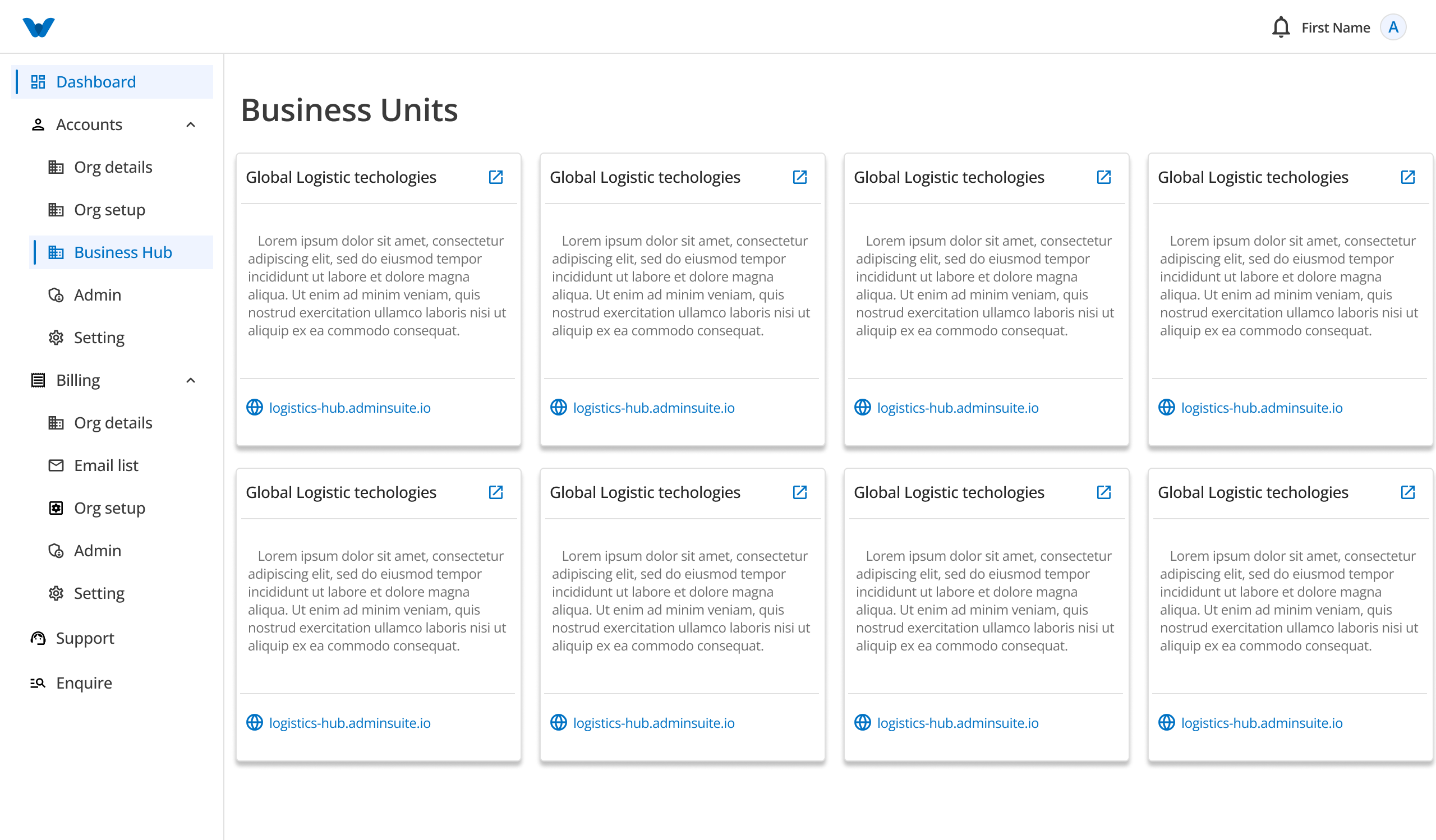
The Business Hub helps you manage your business units, locations, clients, projects, teams, and employees from one place.
When you open the Business Hub, all your business units are displayed as cards.
Click on any business unit to open it. By default, the first business location of the selected business unit will be displayed.
You can switch between different Business Units and Business Locations at any time to view and manage their information.
Dashboard
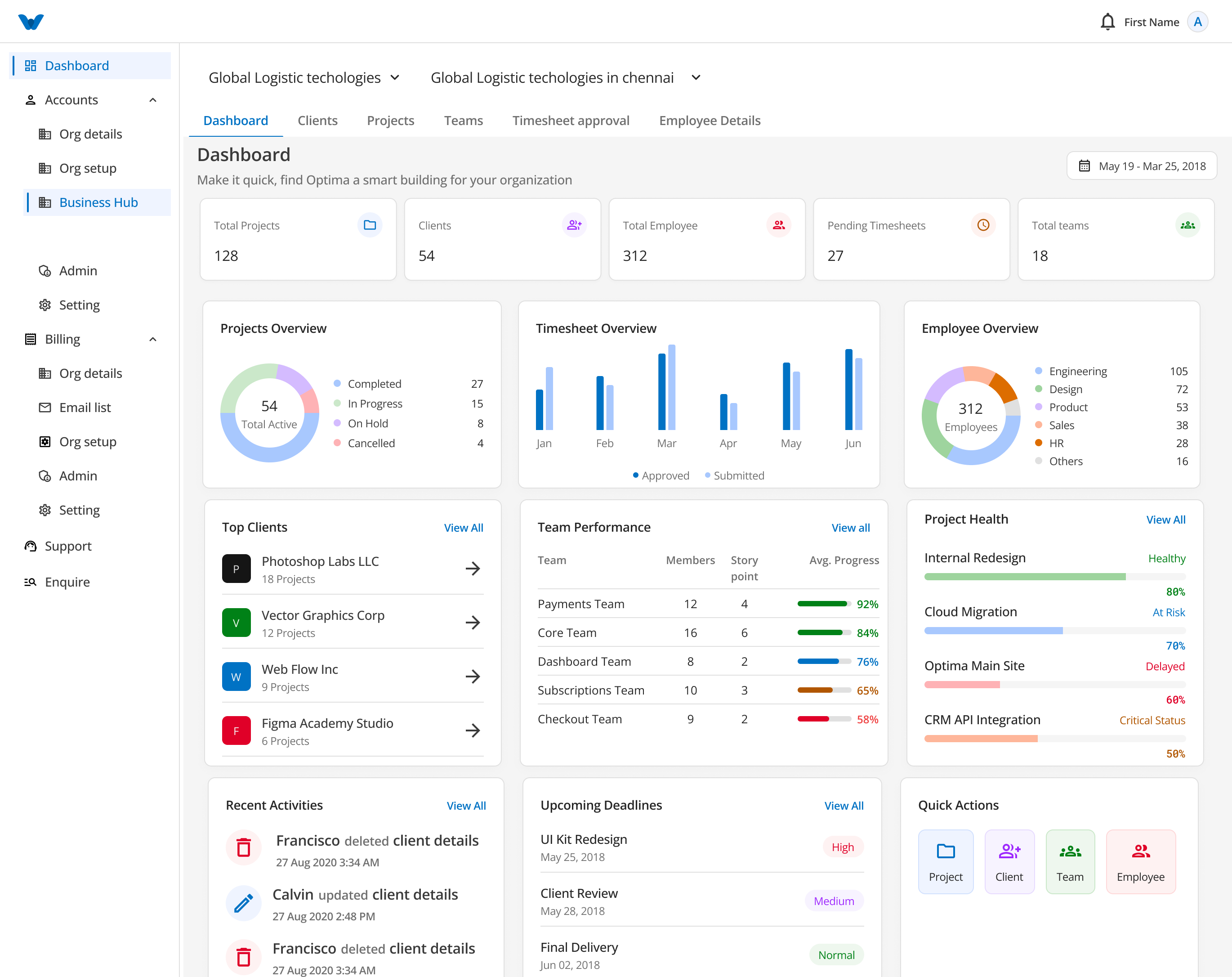
The Dashboard provides a quick overview of your business location.
It displays important information such as:
- Total Projects
- Total Clients
- Total Employees
- Pending Timesheets
- Total Teams
It also includes visual reports and recent updates to help you monitor your business.
Dashboard Widgets
- Project Overview (Pie Chart)
- Timesheet Overview
- Employee Overview
- Top Clients
- Team Performance
- Project Health
- Recent Activities
- Upcoming Deadlines
- Quick Actions
The dashboard gives you a quick summary of your business without opening each module individually.
Clients
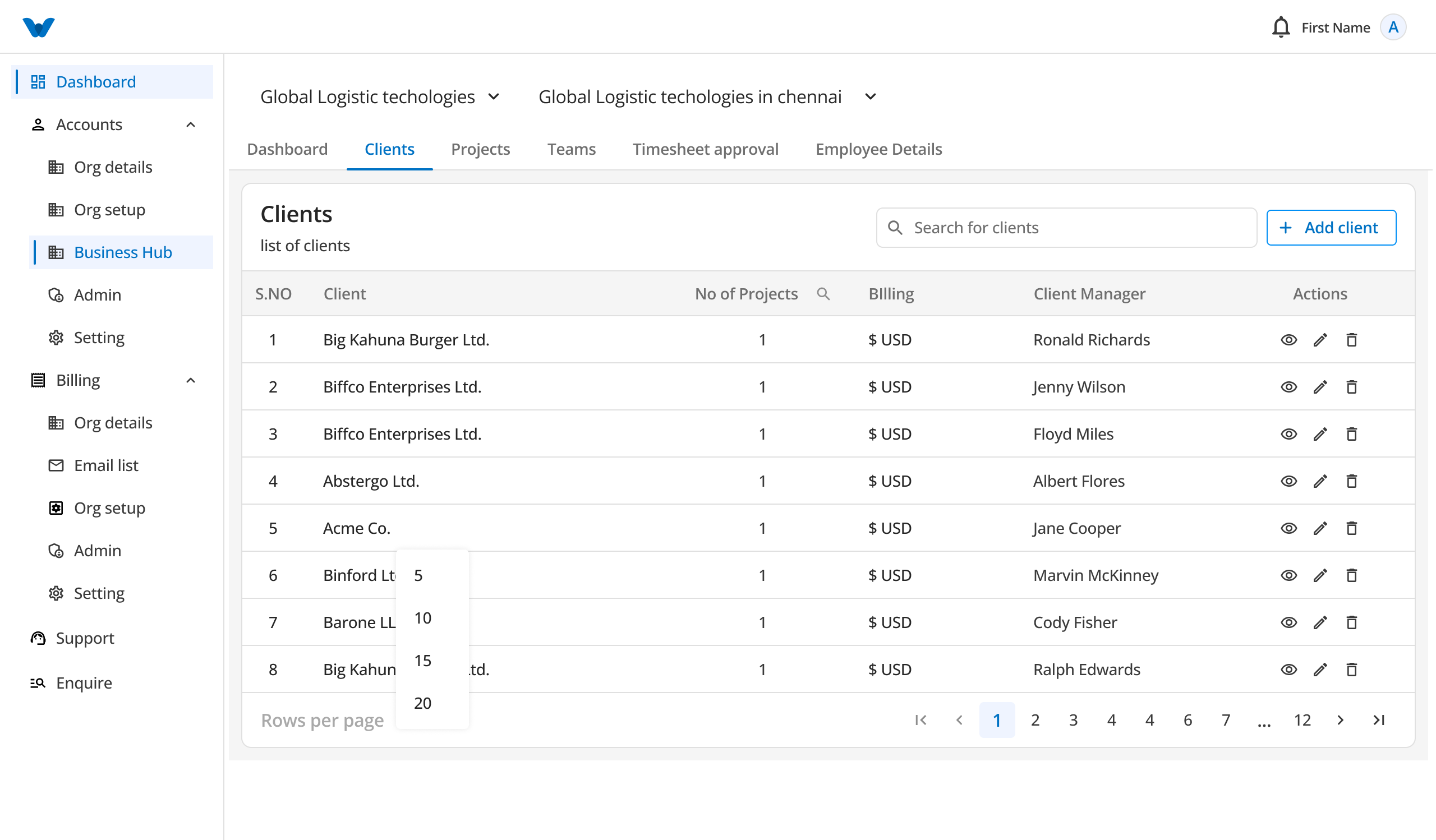
The Clients section contains all your client information.
Here you can:
- View client details
- Add a new client
- Delete an existing client
Add a Client
Click Add Client and enter the following information:
Basic Information
- Client Name
- Client Code
- Billing Currency
- Billing Rate
- Client Manager
- Description
Contact Information
- Address
- Country
- GST Number
After entering the required information, click Add Client.
The client will be added to your client list.
Client Details
Click on a client to view more information.
The client details page includes:
- Dashboard
- Estimated Revenue
- Projects
- Client Profile
- Activity Log
This helps you track the client's projects, revenue, and recent activities.
Projects
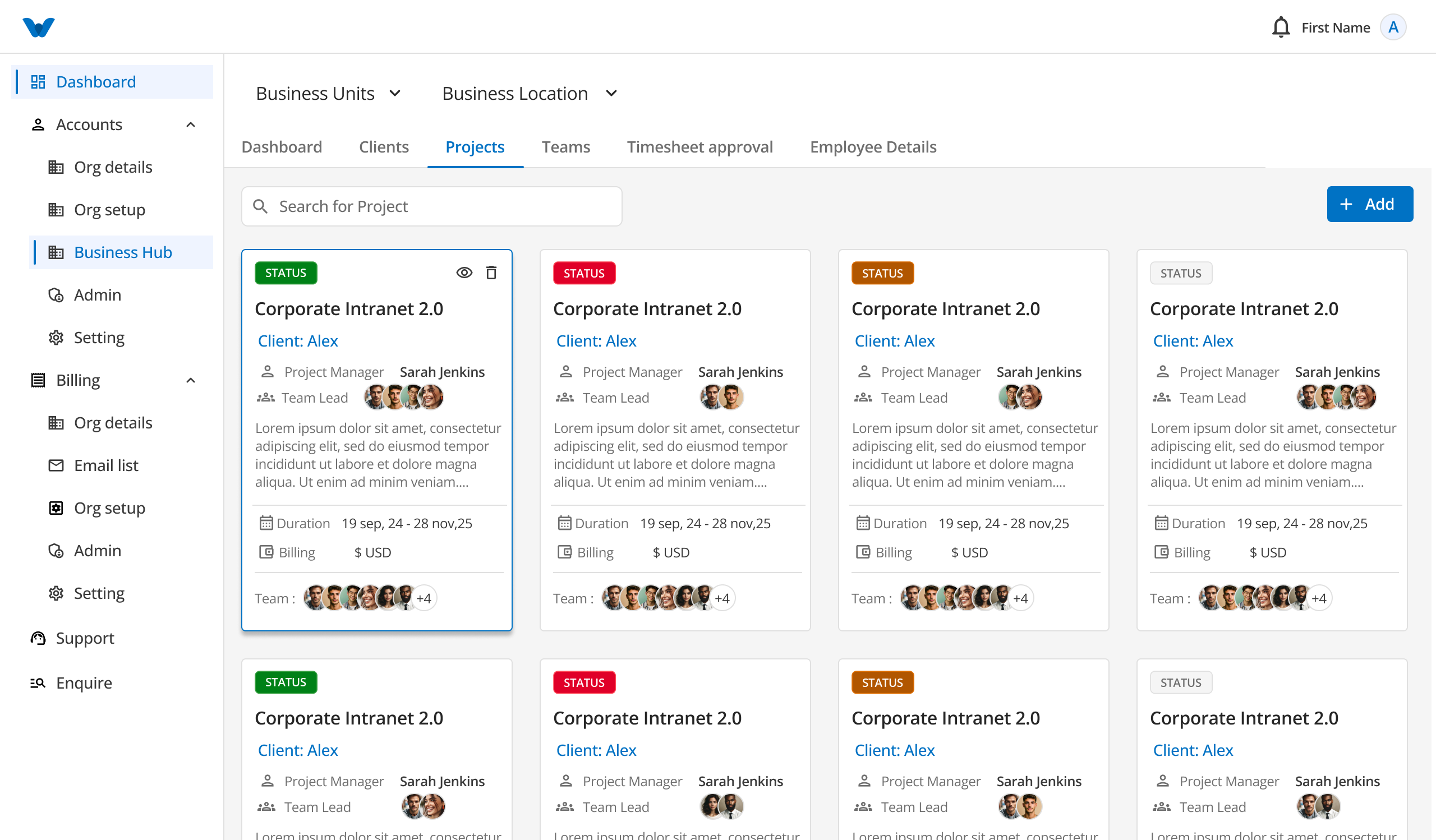
The Projects section displays all projects as cards.
Move your mouse over a project card to see additional options.
You can:
- View Project
- Edit Project
- Delete Project
You can also create a new project using the Add Project button.
Create a Project
Enter the following details:
- Project Name
- Client
- Project Duration
- Billing Type
- Project Manager
Click Create Project to save the project.
Project Details
Selecting View Project opens the complete project information.
Here you can view project details, assigned team members, progress, and other related information.
Teams
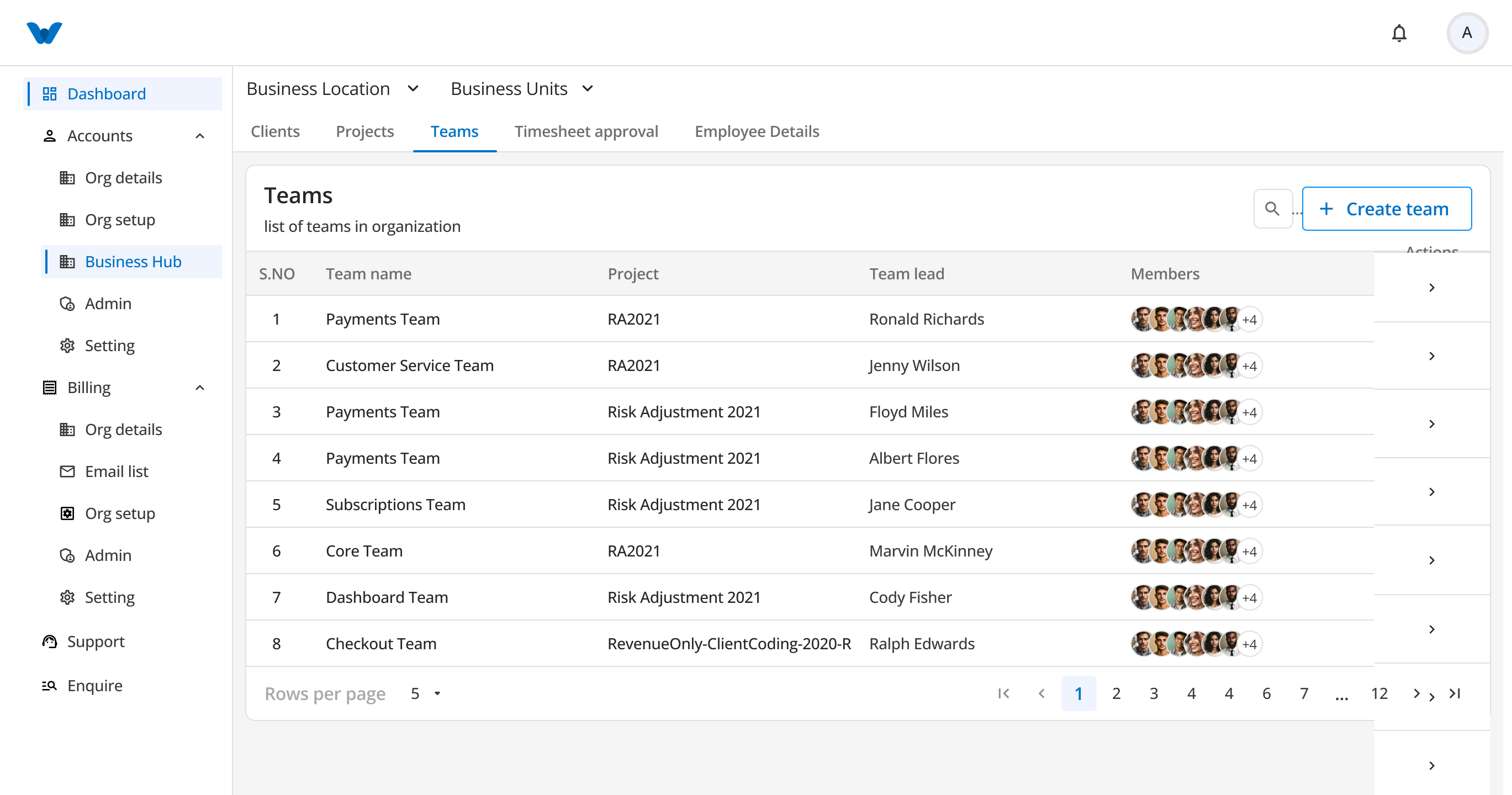
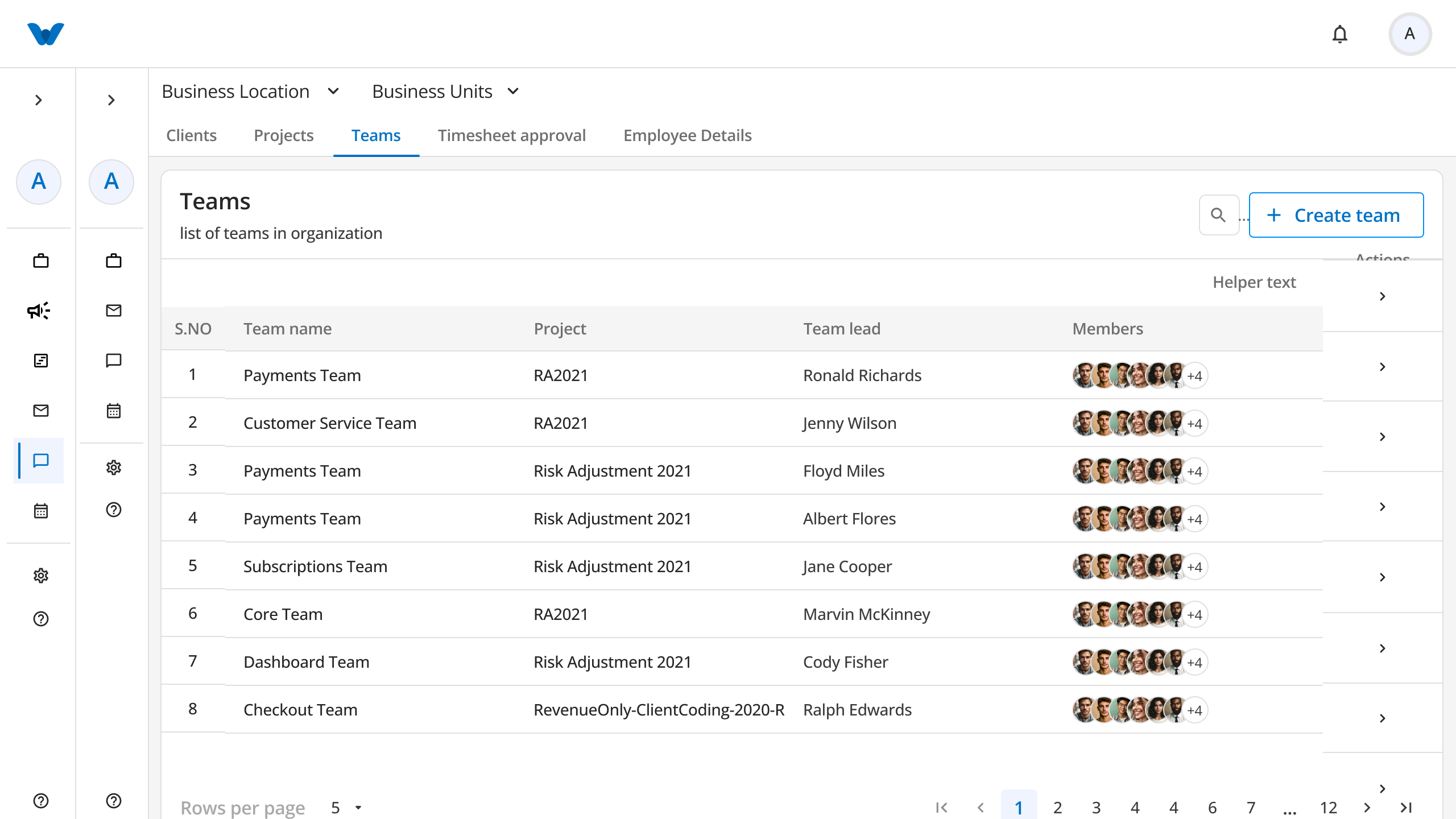
The Teams section helps you organize employees into project teams.
You can:
- View all teams
- Create a new team
- Add members to a team
Create a Team
Enter the following details:
- Select Project
- Team Name
- Description
- Team Lead
You have two options:
Create Team, Add Members Later
Creates the team immediately. Team members can be added later.
Add Team Members
Select this option to choose team members before creating the team.
A list of employees in your organization will be displayed.
Select the required members and click Create Team.
The selected employees will become part of the new team.
Employee Details
The Employee Details section displays all employees in the selected business location.
Each employee card shows:
- Employee Name
- Email or Domain Name
- Role
- Assigned Projects
This screen helps you quickly identify which projects each employee is working on.
Business Hub Workflow
Select Business Unit
        ↓
Select Business Location
        ↓
View Dashboard
        ↓
Manage Clients
        ↓
Manage Projects
        ↓
Create Teams
        ↓
Assign Team Members
        ↓
View Employee Details
Quick Summary
The Business Hub allows you to:
- Switch between business units and locations
- Monitor business performance through the dashboard
- Manage client information
- Create and manage projects
- Organize teams
- Assign employees to teams
- View employee information and project assignments
Everything you need to manage your business operations is available in one place within the Business Hub.